
Voice dictation · Android & Windows
Easy Talk
Talk, and clean, properly punctuated text appears wherever you're typing, in any app, on Android and Windows.
 Talk. It types.
- 2platforms: Android and Windows
- 16interface languages on Android
- 55clean-up test cases
- 0Easy Talk servers
The objective
Paid dictation apps clean up speech well, but cost a monthly fee, and free tools either skip the clean-up or have no polished Android app.
Easy Talk aims for the same feel: a small bubble or hotkey, then clean text where the cursor is. It is free with the user's own AI key, and there is no Easy Talk server in between.
What it does
- 01
Dictate anywhere
On Android, a floating bubble appears over the focused text field in any app, using the accessibility service to type into it. On Windows, hold Ctrl + Space.
- 02
Clean-up that keeps your words
Grammar and punctuation are fixed and “um”s removed; corrections like “at 2… actually, make it 3” are applied; lists are formatted; $25, 3:30 PM and email addresses are written properly. A dictated question stays a question.
- 03
Tone per app
Casual in chats, formal in email, exact wording in code editors. A dictionary keeps names and jargon spelled right, and snippets expand phrases like “my email”.
- 04
Voice Edit and Translate
Select text and say “make this shorter”. Or speak one language and type in another. On Windows these sit on their own shortcuts; on Android they are part of Pro.
- 05
Offline mode on Android
Download a speech model and dictation, basic clean-up and translation packs run on the phone with no internet. Pro adds an on-phone AI clean-up model.
- 06
Private by design
No account and no analytics. Audio goes only to the AI service the user picked, with their own key, or nowhere at all in offline mode. Keys are encrypted with the Android Keystore.
Voice in, clean text out
The pill below follows the app's real recording states. The sentence pairs come from Easy Talk's own clean-up test set.
Illustrative demo, not connected to the app. Sentences from Easy Talk's clean-up test set.
What you said
Ready. Tap the bubble.
Speech is turned into text, then cleaned up before it is typed.
The listing, as published.
The seven graphics on Easy Talk's Google Play listing, built from the app's real screens. The app is in closed testing, so the listing is not public yet.
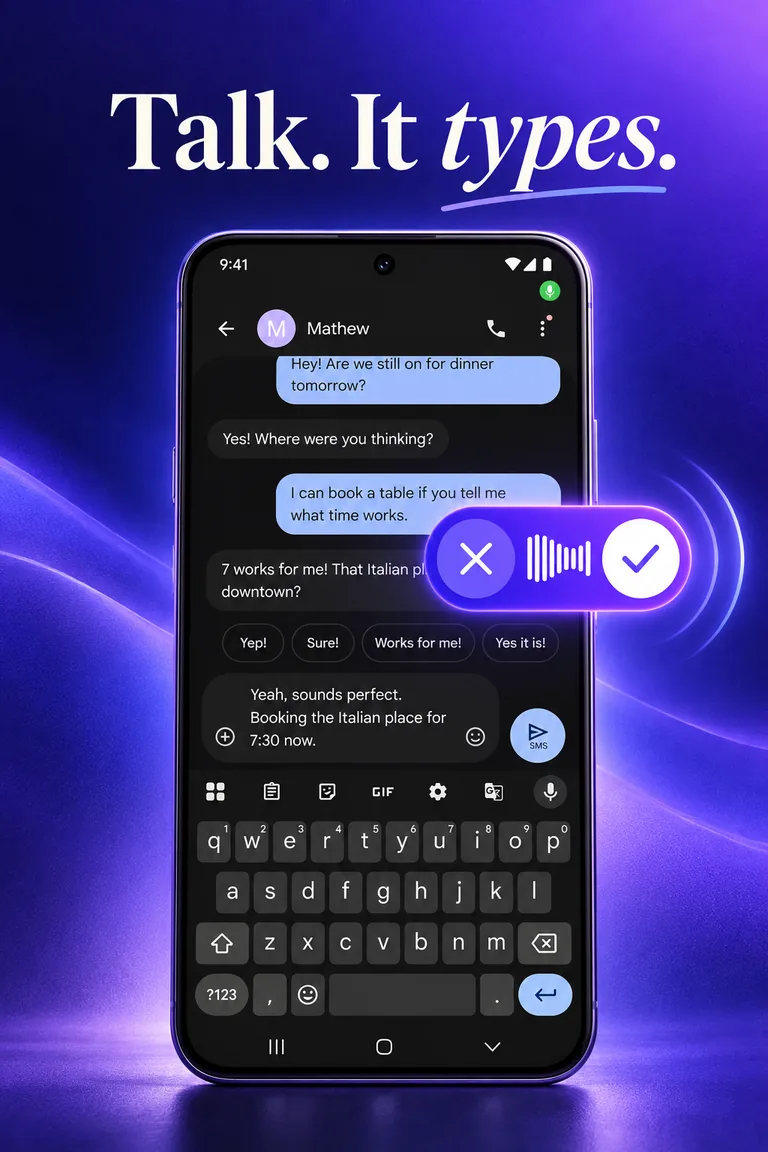
01Talk. It types. 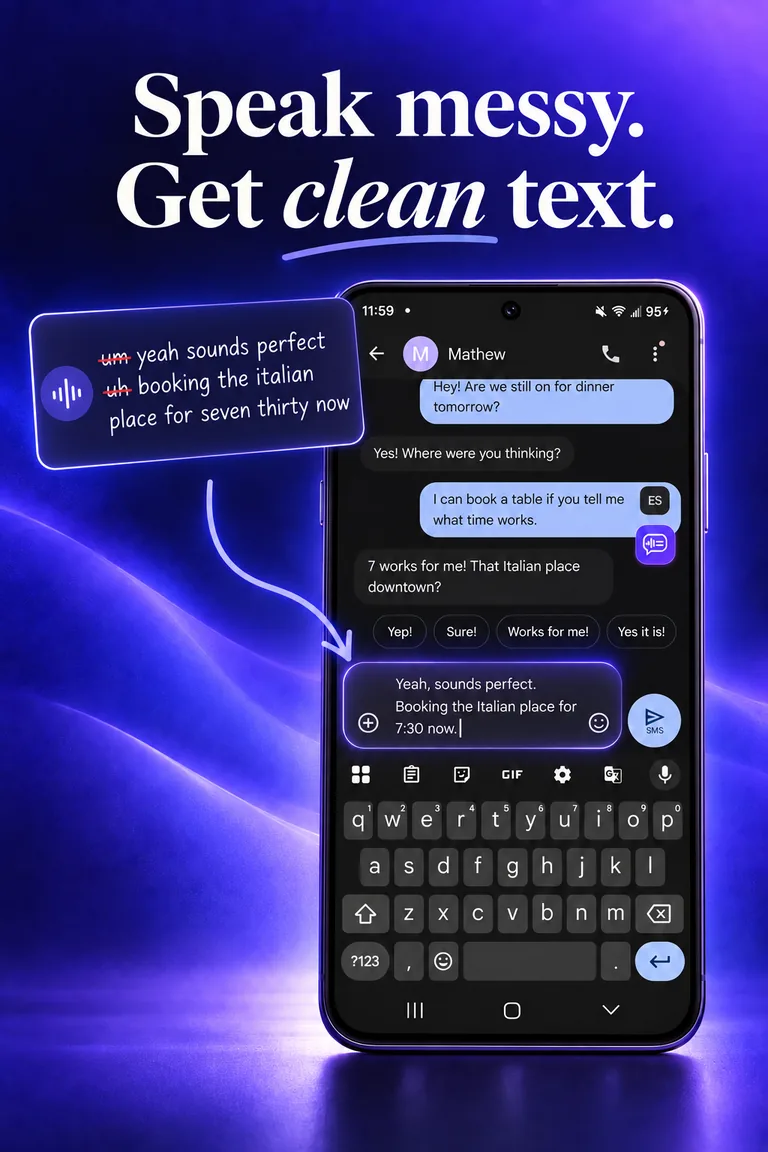
02Speak messy. Get clean text. 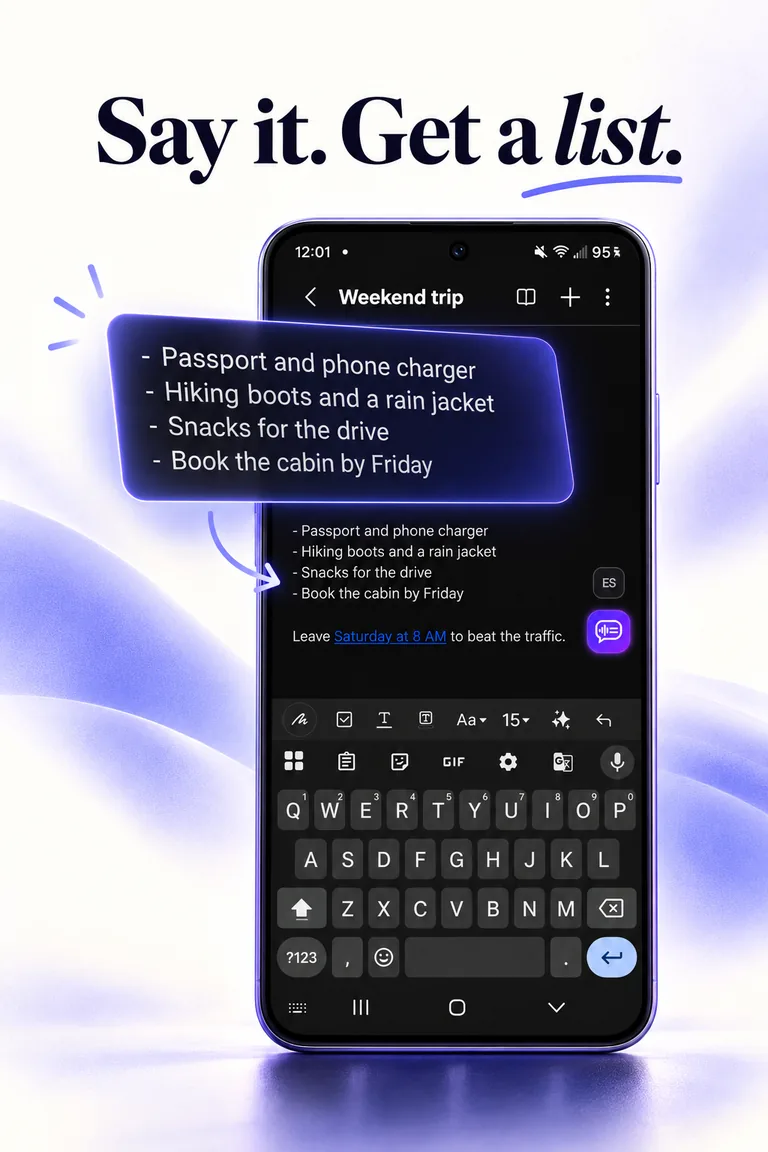
03Say it. Get a list. 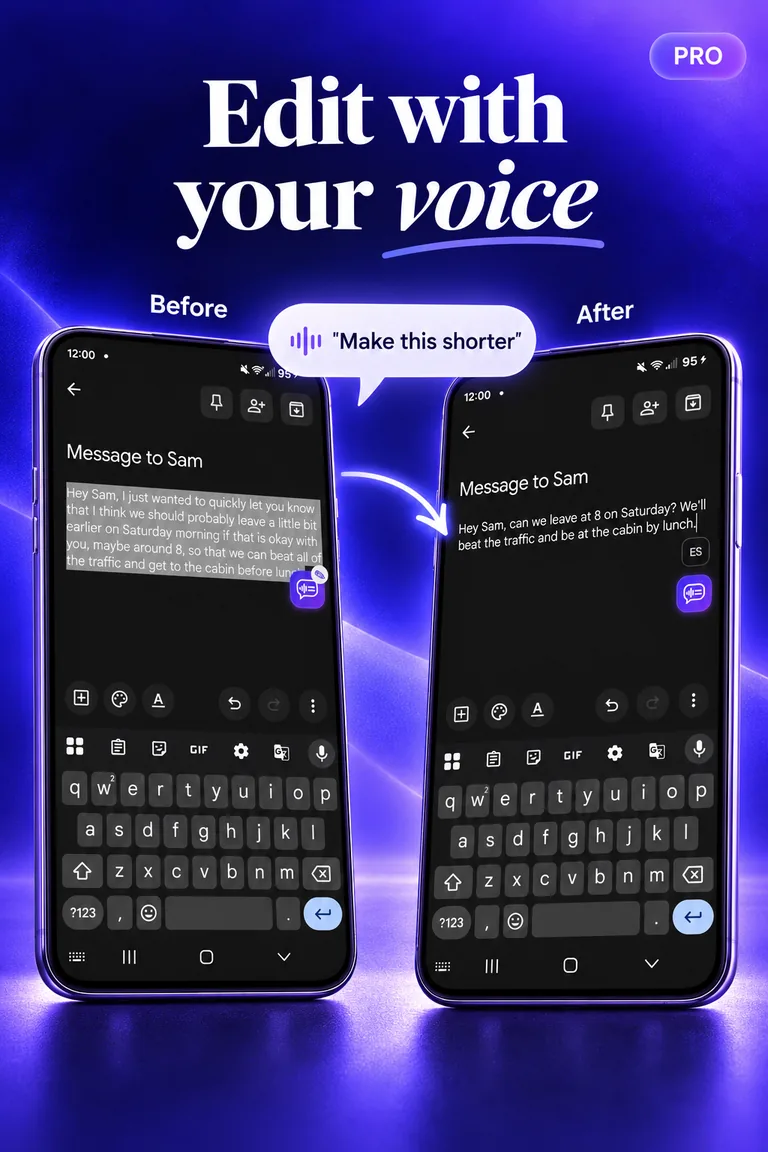
04Edit with your voicePro 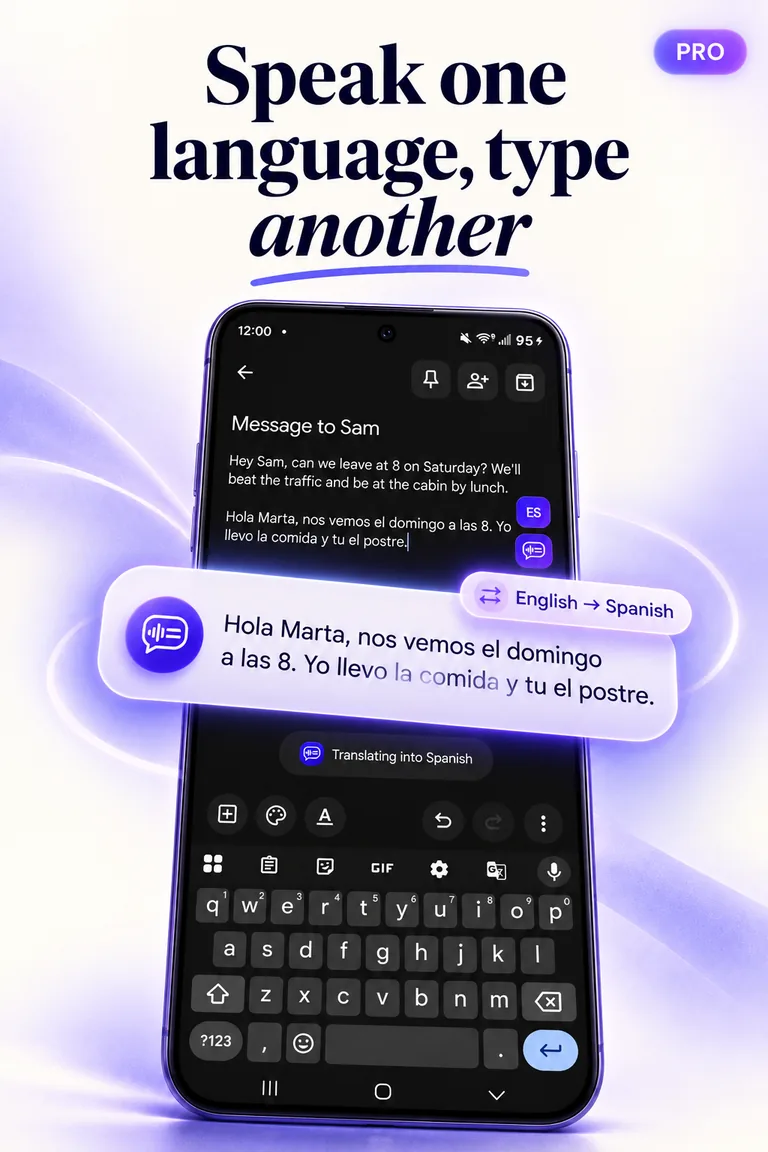
05Speak one language, type anotherPro 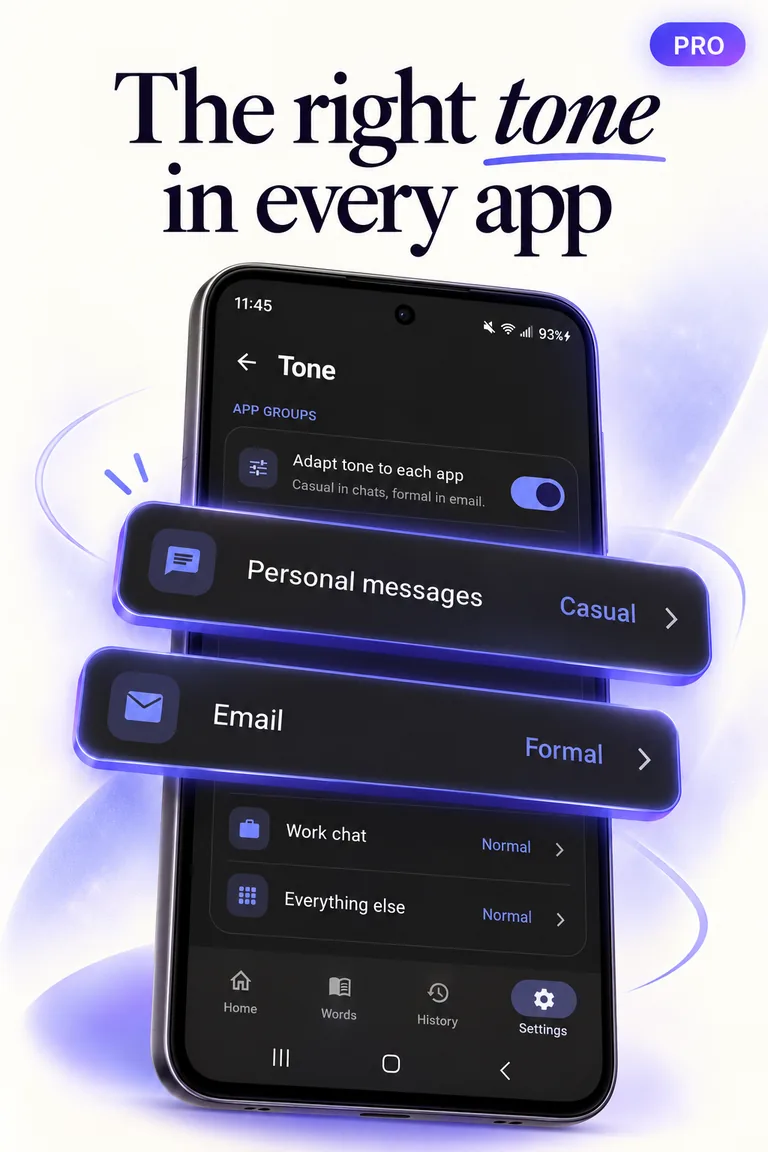
06The right tone in every appPro 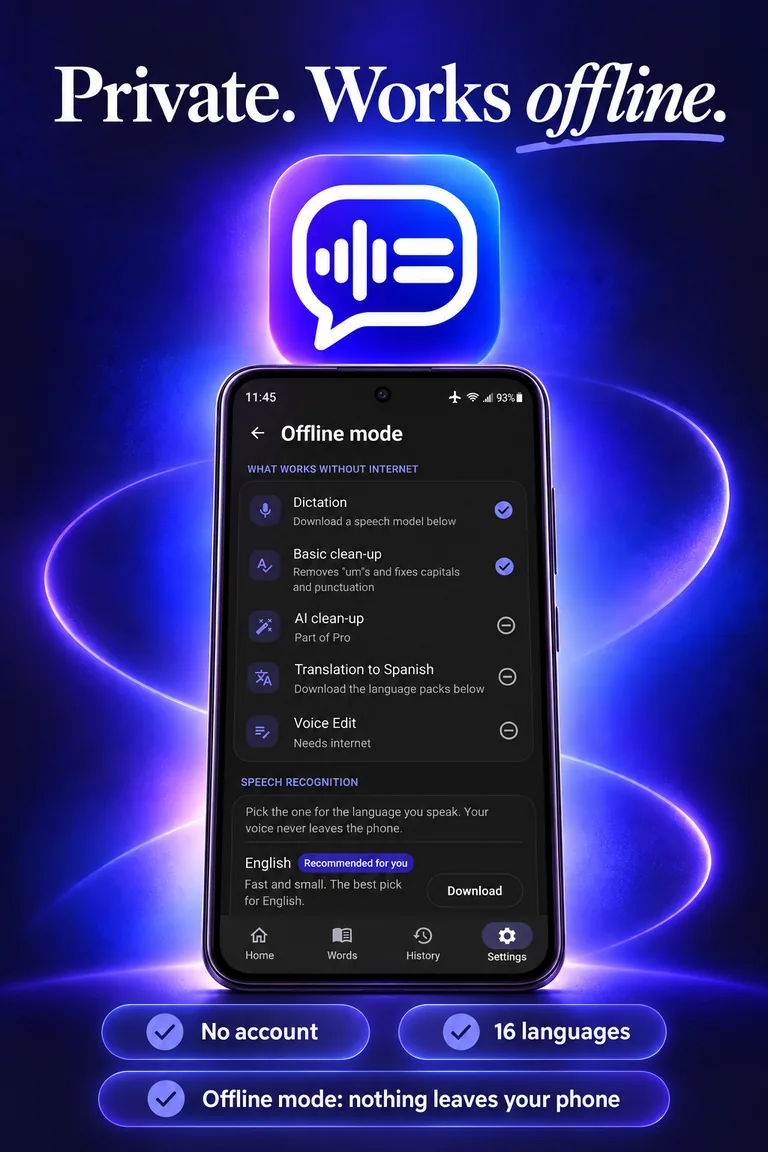
07Private. Works offline.
Real screens
Scroll sideways →
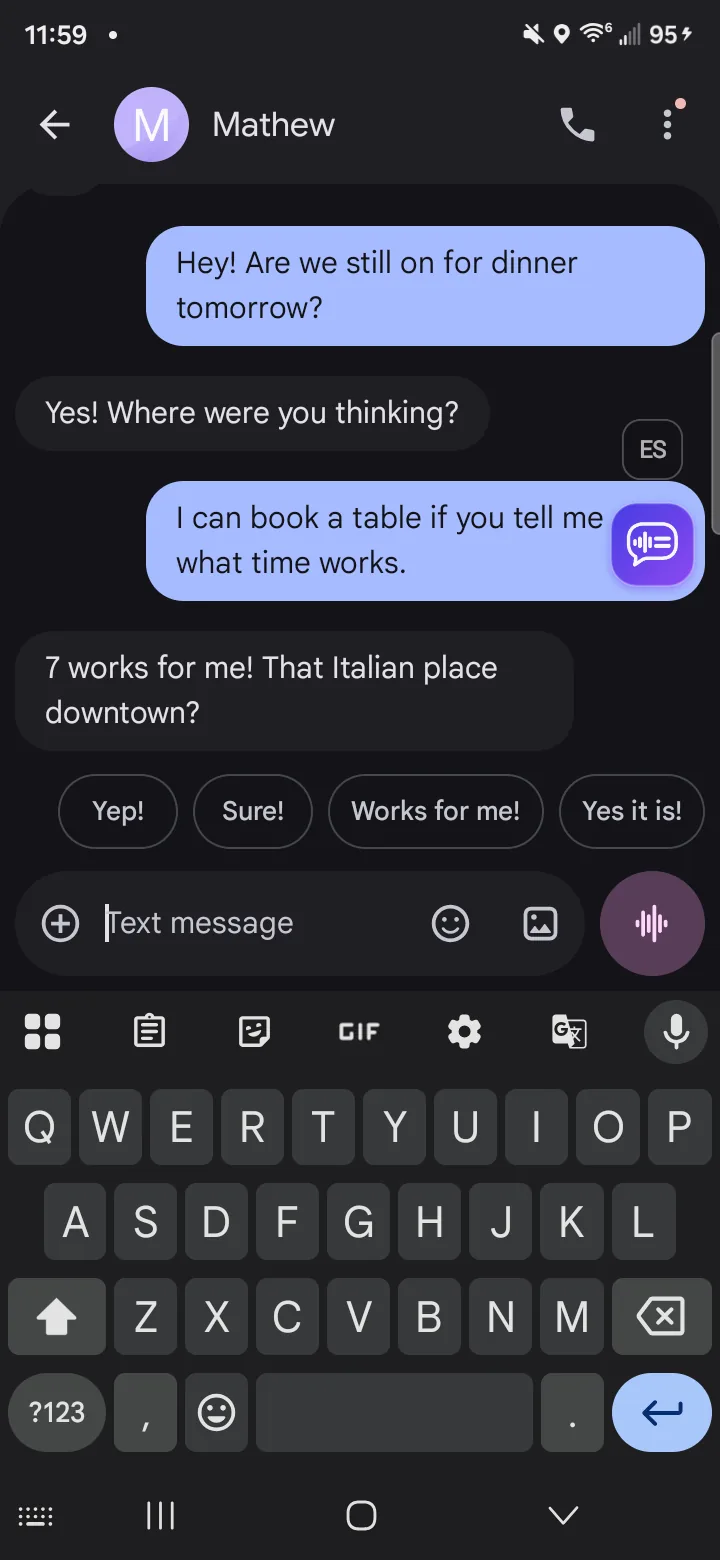
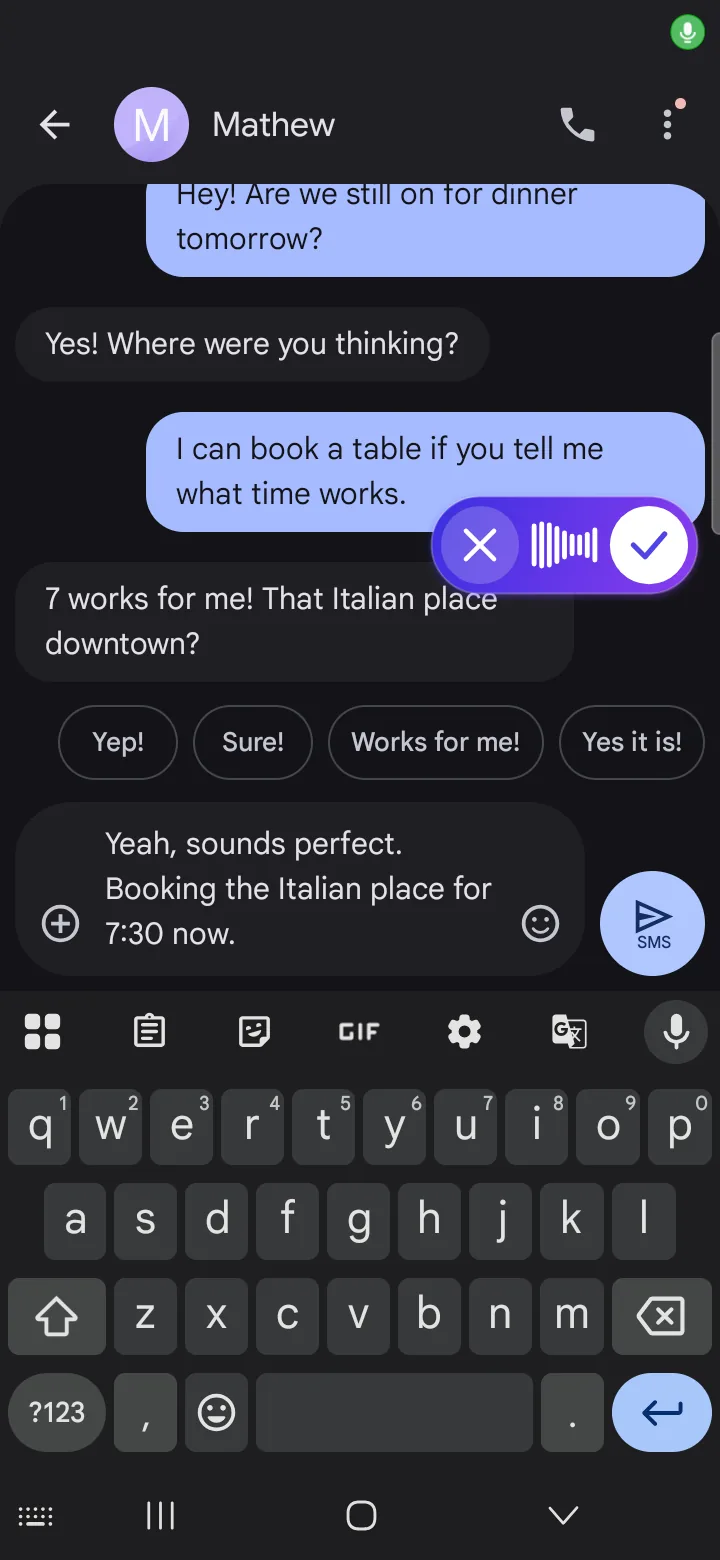
The bubble waits beside the focused field. Recording: cancel, live waveform, done. 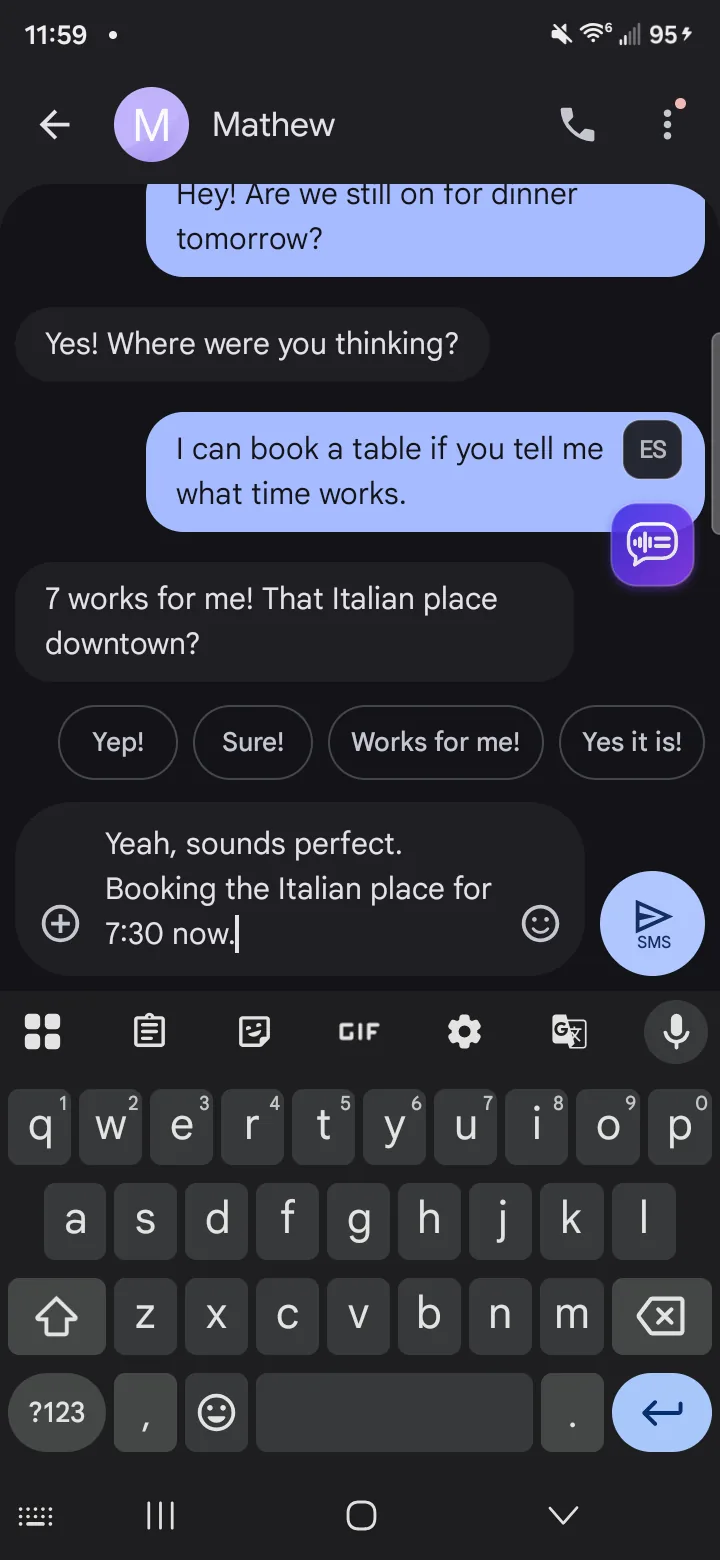
The cleaned-up reply lands in the field. 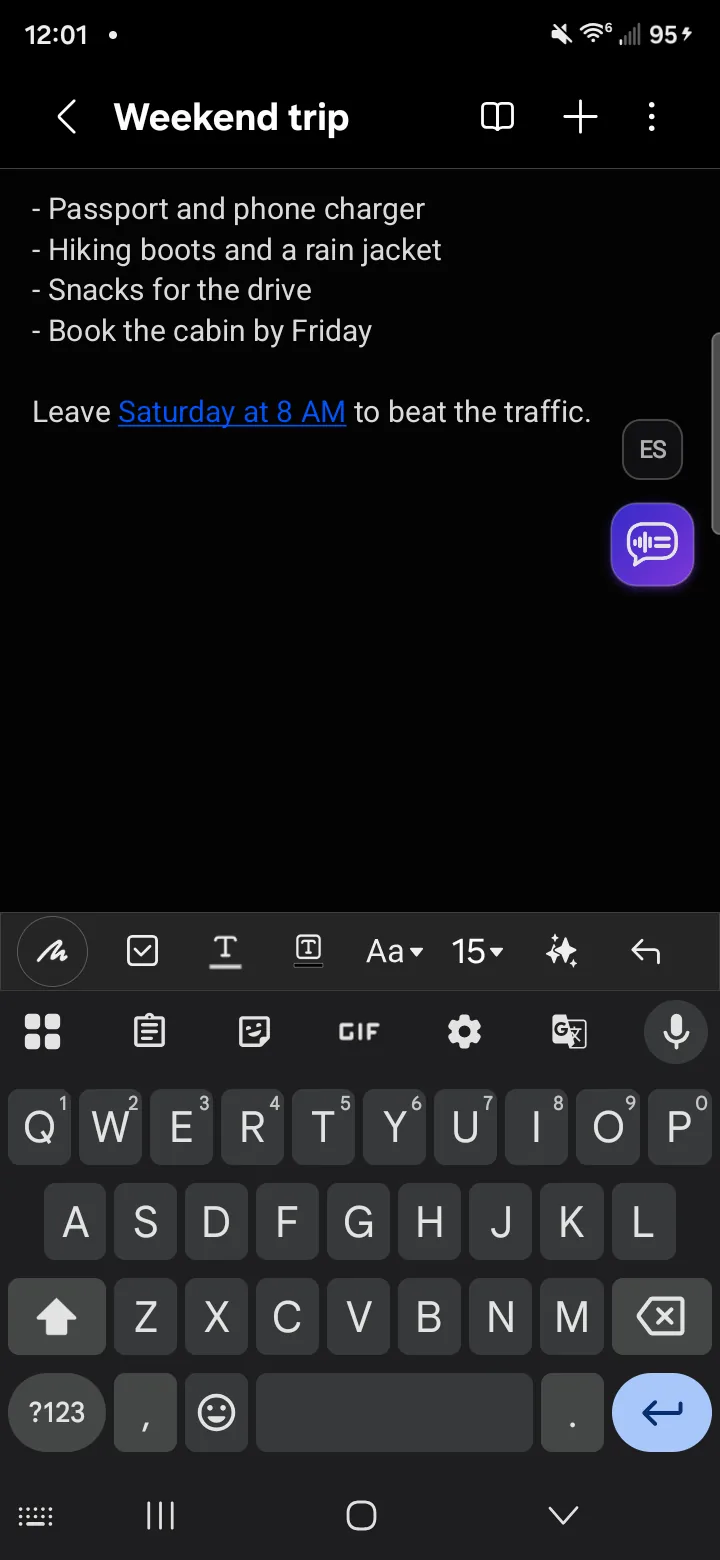
A spoken list, formatted as a list. 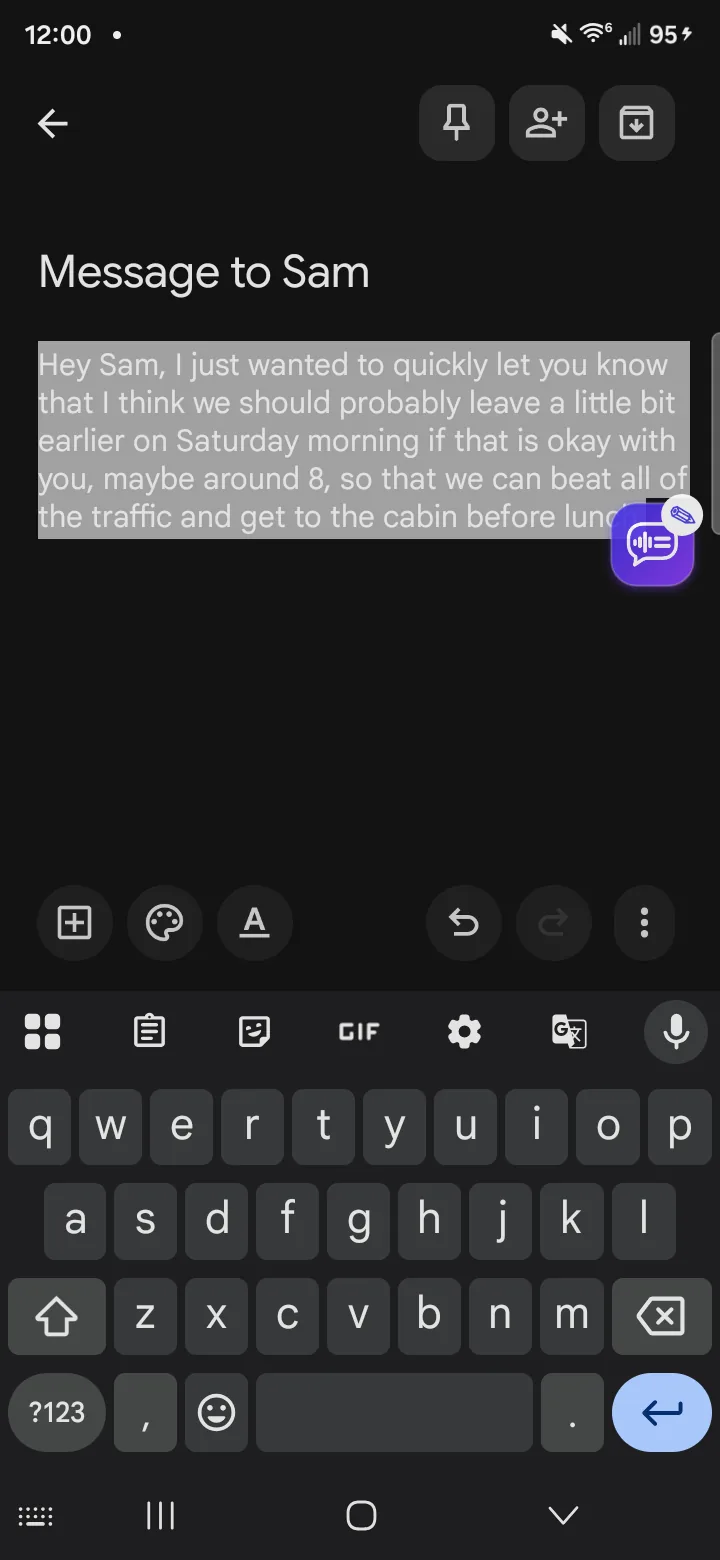
Voice Edit: select a rambling draft… 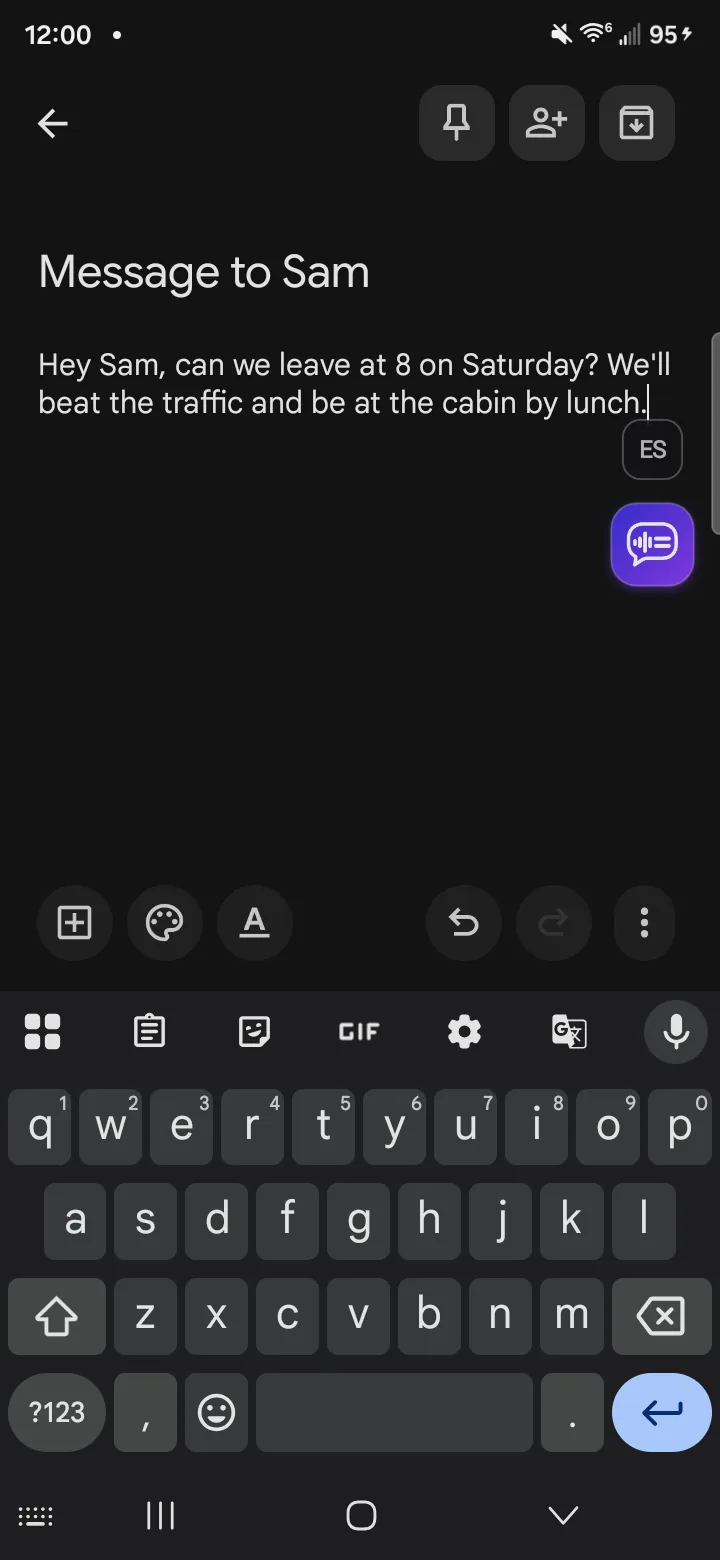
…say “make this shorter”. 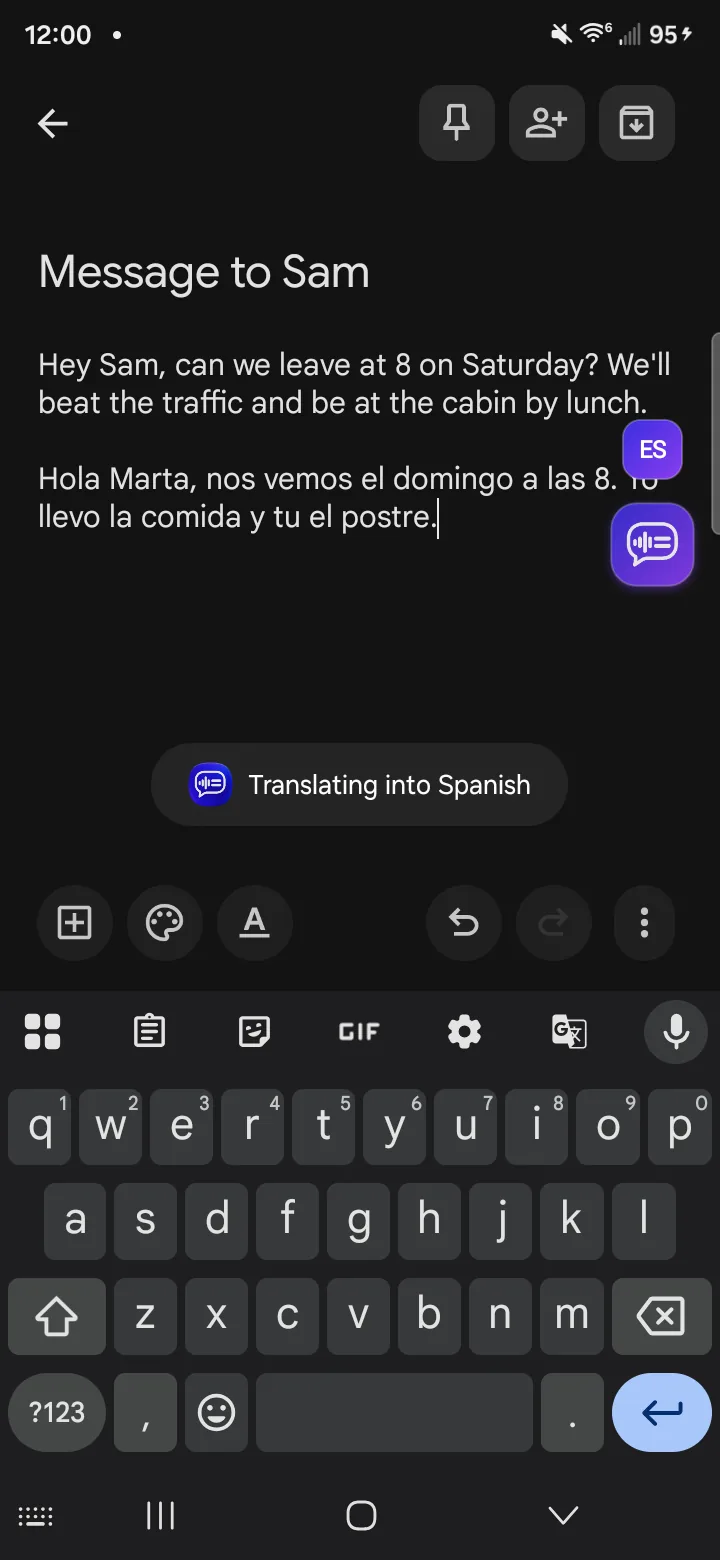
Translate: speak English, type Spanish. 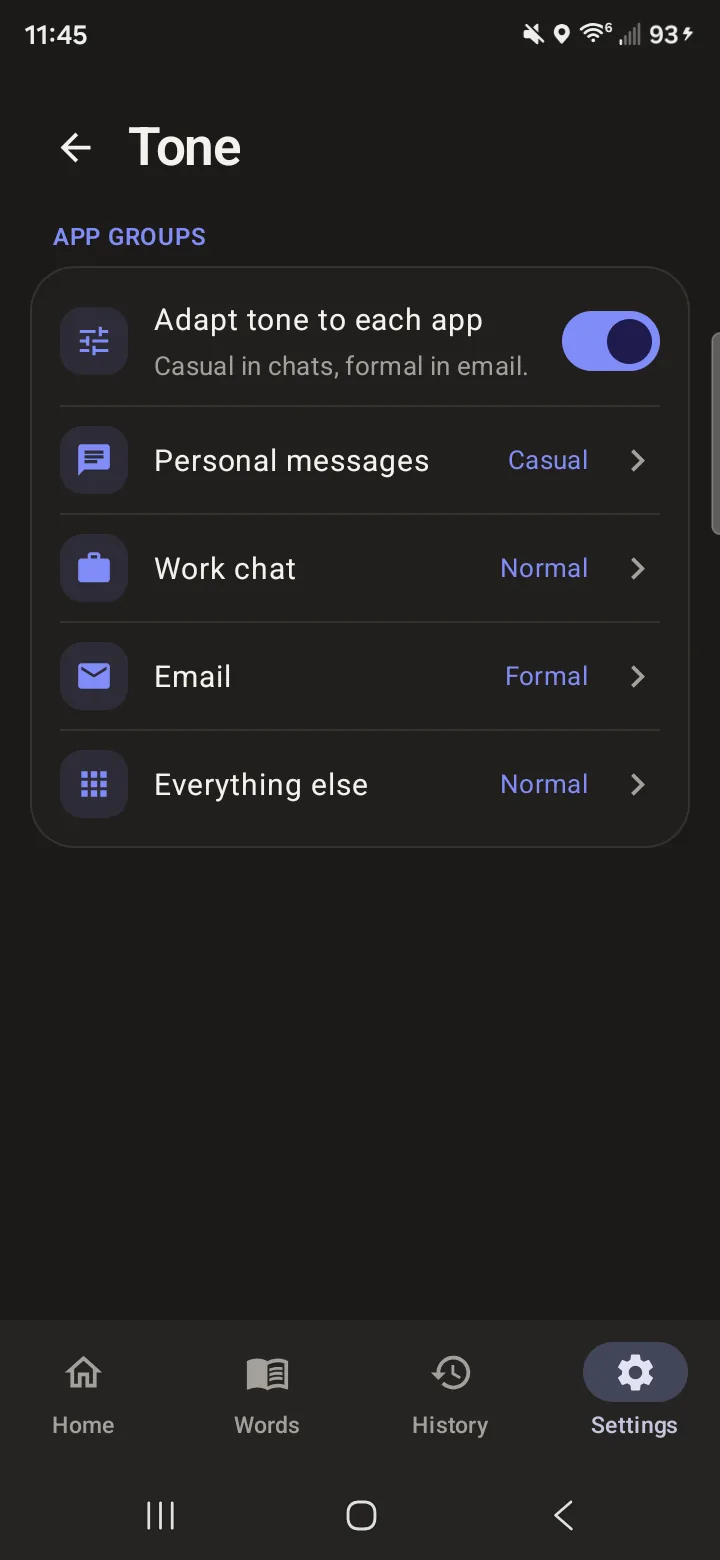
Tone per app group. 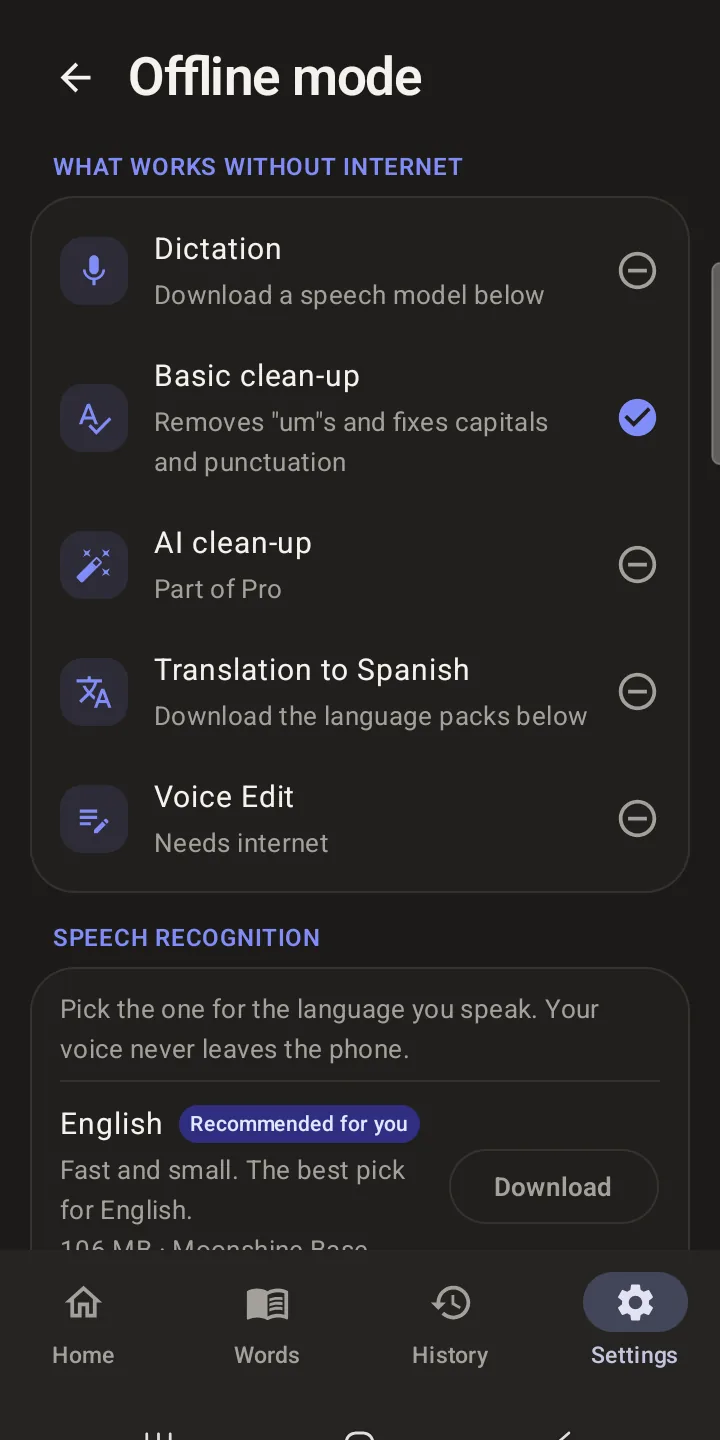
What works without internet. 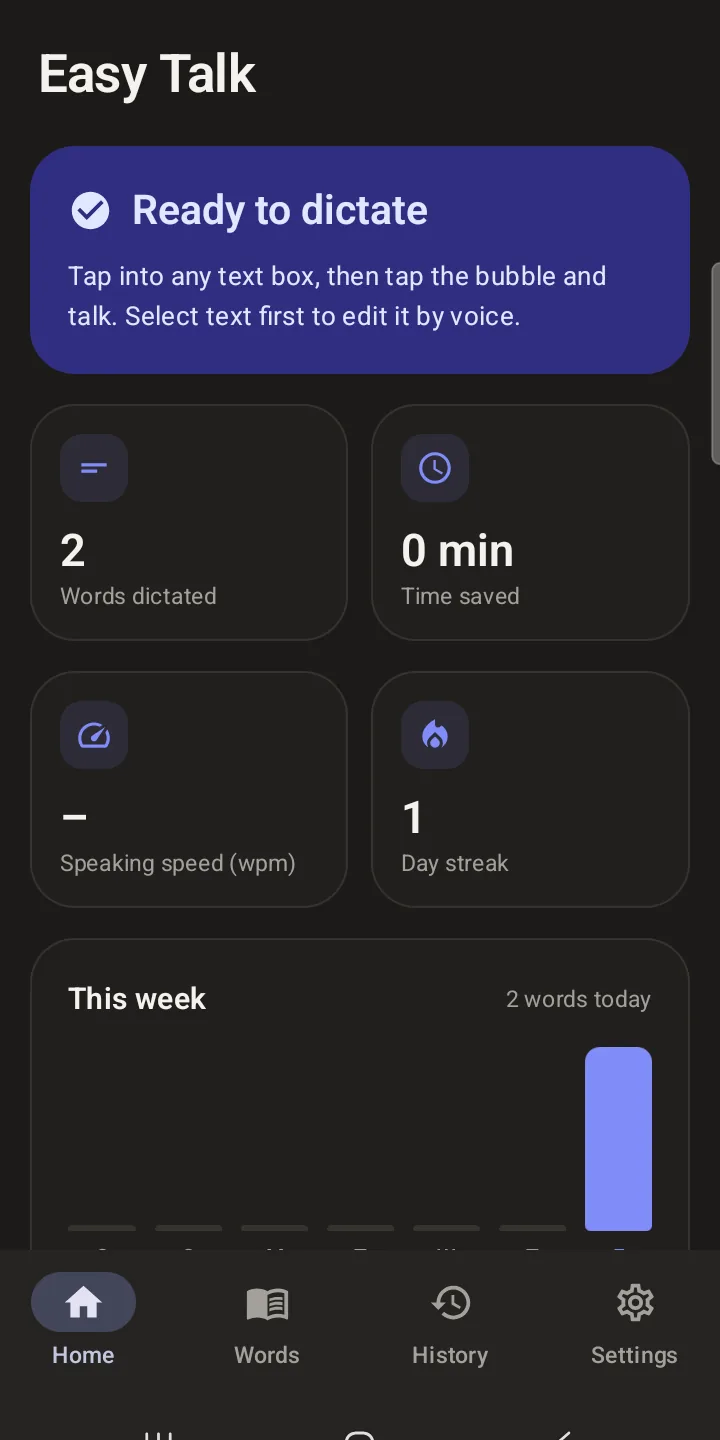
Home stats.
How it's built
The Android app is Kotlin and Jetpack Compose. An accessibility service detects the focused field, shows the bubble and inserts text; recording runs in a foreground service with a visible notification. Noise handling stacks the phone's own suppression, a GTCRN denoiser and voice-activity trimming, and Voice Lock keeps only the enrolled speaker's voice. Offline speech uses sherpa-onnx.
The Windows app is a Tauri 2 (Rust + React) fork of Handy, credited under its MIT licence. Speech recognition can run locally on the PC, with only text sent for clean-up, and releases ship as signed updater artifacts with NSIS and MSI installers.
Both apps share one clean-up prompt. A script scores it against a 55-case test set covering fillers, backtracking, lists, money, times, and dictated questions or instructions that must be typed, not answered.
There is no Easy Talk server. On Android, users choose Groq, OpenAI or their own server for speech, and also Anthropic, Gemini or OpenRouter for clean-up. Pro runs through Google Play Billing and RevenueCat; ads appear only when a user chooses to watch one.
Verified technologies
- Kotlin
- Jetpack Compose
- Accessibility Service
- sherpa-onnx
- Tauri 2
- Rust
- React
- TypeScript
- Groq Whisper
- ML Kit
- RevenueCat
- Google Play Billing
Worth knowing
- The Android app is not on public Google Play yet, so there is no store link here.
- The demo on this page is illustrative and does not connect to the app.